Model Y problems
Tesla Model Y problems in the UAE: what is normal and what to check
An older Model Y can start to make new noises, show alerts or cool less well. This guide separates what Tesla's owner's manual calls normal from what is worth a check, and points each problem to the right service.
Sounds that are normal
Before you book anything, check whether the sound is on Tesla’s own list. The owner’s manual says the Model Y is very quiet but not completely silent, and it lists sounds that are part of normal daily operation.
- A thump when you shift into Park: the manual says this is the parking brake engaging or disengaging.
- Clicking or thumping from the floor when you start the car after it has been parked: the manual says this is the high voltage contactors closing the circuit between the car and the battery.
- Humming or slight ticking from the front when parked: the manual says this can happen on a hot or cold day, even when the car is not charging, and that it is the car managing battery temperature through the climate system.
- A hum that sounds like a motor from the front: the manual says this is the coolant pump working.
- Fan noise and thumping while Supercharging: the manual says the fans control battery temperature, and that the thumping is metal parts in the battery expanding or contracting with temperature.
- Squealing from the brakes: the manual says this can happen in rain, cold or humid weather, or when there is surface rust on the brake components.
None of these is a reason to book a repair on its own.
Knocks over bumps and when pulling away
A knock over speed bumps is a different case. On a heavy SUV, worn control-arm bushes, ball joints or anti-roll bar links are common causes. Suspension joints wear with time and distance, and speed bumps and rough roads speed that up.
A clunk when you pull away is more often the drive-unit bushes. From the driver’s seat the two can sound alike, so both need checking before a part is replaced.
One clunk is normal. The manual says that if you quickly tip the accelerator in and out, you may hear a clunk from the rear drive unit as torque changes direction, and that it is more common in Hold mode. A clunk that is new, gets louder, or happens in ordinary driving is worth a check.
Other signs that point to the suspension and steering:
- The steering feels loose, or the car pulls to one side.
- Tyres wear unevenly or quickly on the inner edge.
- A vibration comes through the steering wheel with no lane warning on the screen. The manual says the wheel vibrates when Lane Departure Warning detects an unintentional lane line crossing.
See suspension and steering repair for what we check and replace.
Camera and driver-assistance alerts
Alerts about cameras or Assisted Driving look worrying but are often temporary. For a blocked front camera, the manual says the car is OK to drive and that this is often a temporary issue that clears up on its own.
The manual lists dirt, dew, glare, low light and condensation on the camera surface as causes. If the alert is still there at the end of your drive, clean the camera area before the next one. For condensation inside the camera enclosure, the manual suggests pre-conditioning the cabin with the temperature on High and A/C on, then turning on the front windshield defroster.
Calibration is another cause. The manual says it typically completes after 32 to 40 km of driving, depending on road conditions. If it has not completed after 160 km or more, the manual says to schedule service.
The same goes for an Automatic Emergency Braking alert. One alert on one drive usually needs no action, but if it persists across several drives or appears more often, the manual recommends booking service.
A car that will not wake up: the low-voltage battery
If the car will not wake up or respond to the key or phone, the screen goes black or restarts, or warnings appear and clear by themselves, suspect the small low-voltage battery before the main one. It runs the computers, locks and screens and switches on the high-voltage system, so a weak one can stop the car driving even with a full main battery.
Older Teslas use a 12V lead-acid battery and newer ones a 16V lithium-ion battery. The model and year tell us which one your car has. Heat shortens the life of lead-acid batteries, so they can fail sooner in hot weather.
On cars with a 16V battery, it has to be reset and configured after it is replaced. If a new battery keeps going flat, the charging side needs checking too, such as the power conversion system on cars that have one. See 12V and 16V battery.
Weak AC when parked or in traffic
Do not confuse AC noise with AC failure. The humming from the front when parked is normal, as above. Warm air from the vents is not.
On cars where the condenser or radiator sits at the front, only the fans move air through it when the car is standing still. If it is packed with dust, or the refrigerant charge is low, weak cooling shows up soonest in traffic or while charging. AC gas is not used up, so low gas means a leak, and a refill only lasts once the leak is fixed.
On cars where the climate system also helps manage battery temperature, an AC fault can affect charging as well. Tesla’s manual says the climate system takes extra demand when the car prepares the battery. Before booking, check that the climate is on Auto or AC with a low set temperature. If your car has a front condenser, look through the lower grille for dust or a plastic bag pressed against it. See AC and heat pump repair.
Charging problems and high-voltage faults
If the Model Y will not charge, it is not always the battery. A fault in the PCS, a contactor or the charge port can stop charging while the cells are healthy. A recall covers the contactors on some cars, so check your VIN with Tesla before anything else.
Do not open high-voltage parts yourself. Send us a photo of the message and tell us which charger you used, and we tell you where to start.
The Tesla Model Y page lists the work we do on this car, from suspension and drive-unit knocks to heat-pump AC, cooling, high-voltage faults and 16V batteries.
How to decide what to do
- Check the sound against the normal list above.
- For camera alerts, clean the camera area and drive again before booking.
- If a knock, a warm-air AC problem, a low-voltage alert or a charging fault repeats, write down when it happens: speed bumps, pulling away, parked, charging.
- Take a photo of any message on the screen.
That information saves time at the workshop. If it keeps coming back, book a check at EV Zone in Industrial Area 11, Sharjah.
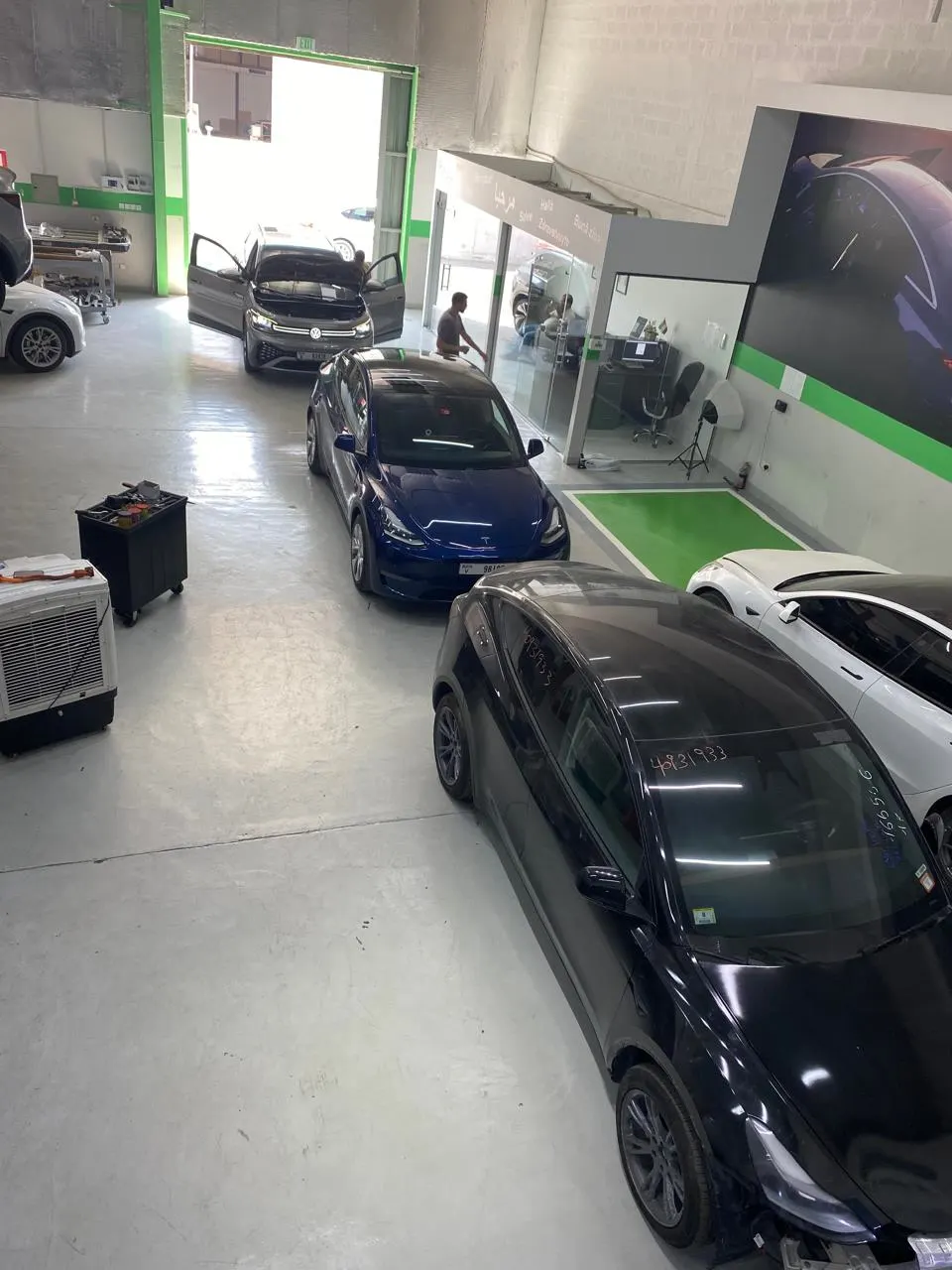
EV Zone is an independent workshop in Industrial Area 11, Sharjah, for the Tesla Model 3, Model Y, Model S and Model X. See independent Tesla repair in Sharjah for the jobs we do and how to book.
Questions
Is a clicking sound when I start my Model Y a fault?
Not by itself. Tesla’s owner’s manual says a click, clunk or thump from the floor when you start the car after it has been parked is the high voltage contactors closing the circuit between the car and the battery.
Is it safe to drive with a camera blocked alert?
The manual says the vehicle is OK to drive with this alert and that it is often temporary. Clean the camera area before your next drive. If it persists across several drives with no visible obstruction, book a check.
Why does my Model Y knock over speed bumps?
Worn control-arm bushes, ball joints or anti-roll bar links are common causes on a heavy SUV. A clunk when pulling away is more often the drive-unit bushes. Both need checking before a part is replaced.
Can the low-voltage battery fail while the main battery is full?
Yes. The low-voltage battery is separate from the main high-voltage pack. If it fails, the car may not wake up or connect the main battery, so it will not drive.