Alert lookup
Tesla and VW ID. warning alerts explained
What the alerts on a Tesla's screen mean and what to do next, in our own words from Tesla's owner's manuals, with Volkswagen's 12V battery warnings for its ID. cars. Your car's own manual is the reference. If your alert is not here, send a photo of it on WhatsApp.
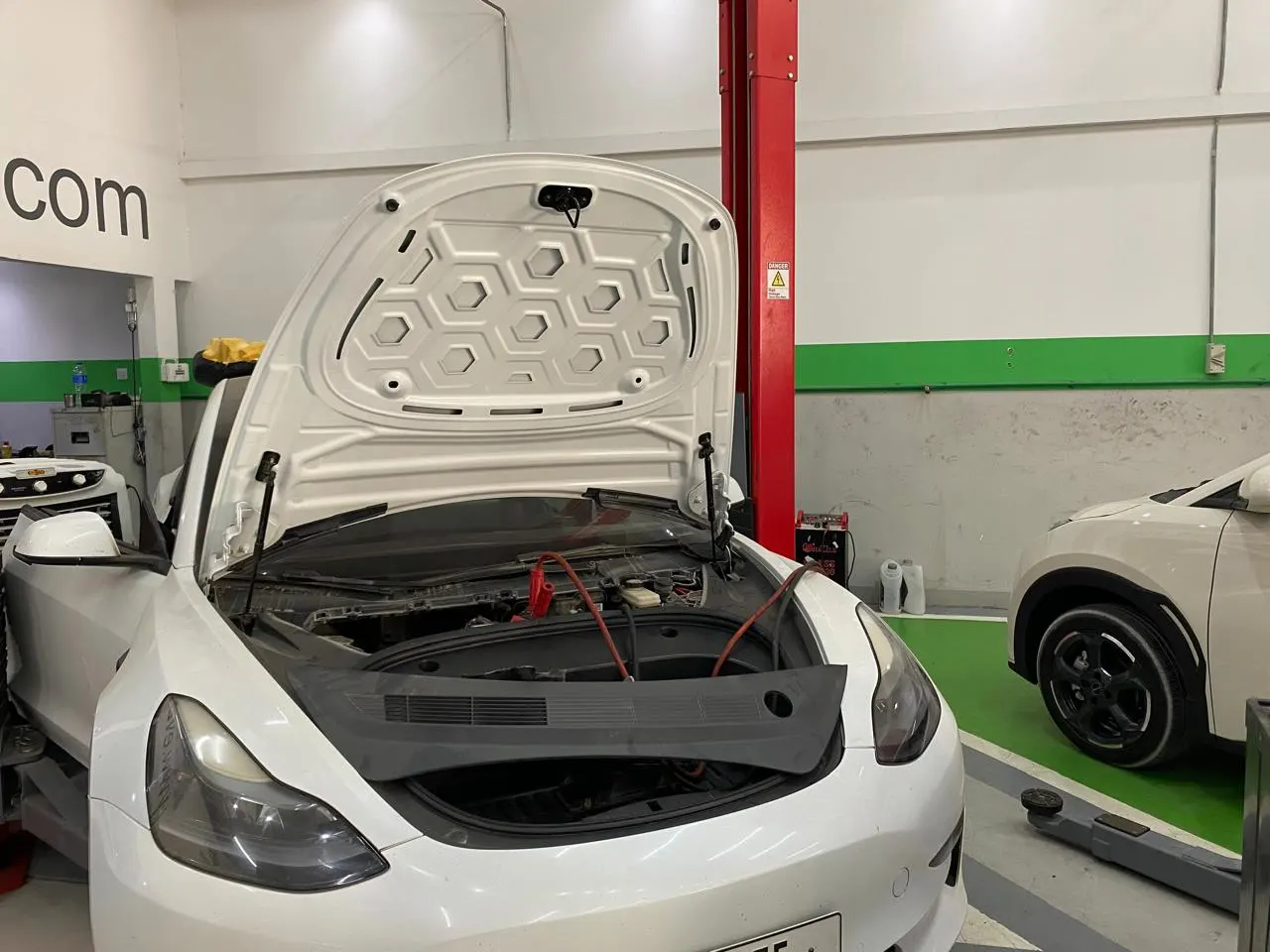
Low-voltage battery and power
Schedule service to replace low voltage battery · Software will not update until battery is replaced
Code: VCFRONT_a182 on the Model 3 and Model Y, VCBATT_a182 on the Model S and Model X.
What it means: The low-voltage battery (12V or 16V, depending on the car) is losing performance and needs replacing. Until it is replaced, software updates will not complete.
What to do: Tesla recommends replacing the battery at your earliest convenience, booked through the Tesla app or with an independent service provider that replaces low-voltage batteries. If the battery no longer has the power to switch the car on or open the doors, follow the manual's section on jump starting (on the Model S and Model X: “If Vehicle Has No Power”).
What we check: The battery's health and voltage, its charging from the DC-DC converter (the PCS on a Model 3 or Model Y) and any power drain while the car sleeps. When the battery is the cause, we replace the 12V or 16V battery and carry out the reset and configuration the car needs; a fault on the charging side, such as the PCS, is covered on our HV battery and power electronics page. See 12V and 16V battery.
Source: Tesla's owner's manuals, Troubleshooting Alerts, for the Model 3, Model Y, Model S and Model X, checked October 2026.
Electrical system backup power is unavailable · Vehicle will consume more energy while idle
Code: VCFRONT_a402 on the Model 3 and Model Y, VCBATT_a402 on the Model S and Model X.
What it means: The low-voltage battery, the backup power source for the electrical system, is not available or cannot supply the voltage the car's features need. The high-voltage battery keeps the car's systems running, even while it is parked, so the car uses more energy than usual when you are not driving it and may show a lower range after charging. Some non-essential features may not work. Tesla notes that, without the backup, a problem with the main power source could make the car shut down unexpectedly.
What to do: Limit or avoid non-essential features, and book service at your earliest opportunity so that the backup power can be restored.
What we check: The battery's health and voltage, its charging from the DC-DC converter (the PCS on a Model 3 or Model Y) and any power drain while the car sleeps. When the battery is the cause, we replace the 12V or 16V battery and carry out the reset and configuration the car needs; a fault on the charging side, such as the PCS, is covered on our HV battery and power electronics page. See 12V and 16V battery.
Source: Tesla's owner's manuals, Troubleshooting Alerts, for the Model 3, Model Y, Model S and Model X, checked October 2026.
Electrical system is unable to support all features · Schedule service
Code: VCFRONT_a220 on the Model 3 and Model Y, VCBATT_a220 on the Model S and Model X.
What it means: The low-voltage battery is not available and cannot support the car's features, so the car saves its energy for essential functions and some non-essential features may stop working. The car may shut down unexpectedly, or may not restart after the current drive. On the Model S and Model X, the manual says the battery cannot support driving.
What to do: Turn off or reduce non-essential features. On the Model S and Model X, if the alert shows while you are driving, pull over safely at your earliest opportunity. If the alert stays, Tesla recommends booking service immediately: without it, the car may not drive, may shut down unexpectedly or may not restart.
What we check: The battery's health and voltage, its charging from the DC-DC converter (the PCS on a Model 3 or Model Y) and any power drain while the car sleeps. When the battery is the cause, we replace the 12V or 16V battery and carry out the reset and configuration the car needs; a fault on the charging side, such as the PCS, is covered on our HV battery and power electronics page. See 12V and 16V battery.
Source: Tesla's owner's manuals, Troubleshooting Alerts, for the Model 3, Model Y, Model S and Model X, checked October 2026.
Electrical system power reduced · Vehicle may shut down unexpectedly
Code: VCFRONT_a180 on the Model 3 and Model Y, VCBATT_a180 on the Model S and Model X.
What it means: The electrical system cannot hold the voltage that all the car's features need. If the alert appears while you are driving, the car may shut down unexpectedly. If it appears in Park or when the car first wakes, the car may not have enough power to start driving, and another alert may then show.
What to do: Turn off or reduce non-essential features, so the car keeps enough power for the essential ones. If the alert stays, Tesla says to book service immediately; without it, the car may shut down unexpectedly or may not restart.
What we check: The battery's health and voltage, its charging from the DC-DC converter (the PCS on a Model 3 or Model Y) and any power drain while the car sleeps. When the battery is the cause, we replace the 12V or 16V battery and carry out the reset and configuration the car needs; a fault on the charging side, such as the PCS, is covered on our HV battery and power electronics page. See 12V and 16V battery.
Source: Tesla's owner's manuals, Troubleshooting Alerts, for the Model 3, Model Y, Model S and Model X, checked October 2026.
Electrical system power reduced · Vehicle shutting down
Code: VCFRONT_a191 on the Model 3 and Model Y, VCBATT_a191 on the Model S and Model X.
What it means: The low-voltage battery cannot support driving, so the car is shutting down to keep its energy for essential functions. It cannot be driven while this lasts, and many functions may stop working.
What to do: If you are driving, Tesla says to pull over safely straight away and to contact Tesla Roadside Assistance through the Tesla app, or another roadside assistance service. If you do not stop within a short time, the car may shut down, and it may not restart once parked. If it loses all electrical power, the manual door releases still let you get out. Other active alerts may explain more. If the alert stays, book service immediately.
What we check: Once the car is parked safely, send us a photo of the alert on WhatsApp. We test the low-voltage battery and its charging, and replace the 12V or 16V battery if it has failed. If the car cannot be driven, ask us whether we can arrange to collect it. See 12V and 16V battery.
Source: Tesla's owner's manuals, Troubleshooting Alerts, for the Model 3, Model Y, Model S and Model X, checked October 2026.
Vehicle is preparing to shut down · PULL OVER SAFELY
Code: VCFRONT_a496 on the Model 3 and Model Y, VCBATT_a496 on the Model S and Model X.
What it means: The electrical system cannot support driving, and the car is preparing to shut down to keep its energy for essential functions. It cannot be driven while this lasts.
What to do: If you are driving, pull over safely at your earliest opportunity, then contact Tesla Roadside Assistance through the Tesla app, or another roadside assistance service. If you do not stop within a short time, the car may shut down, and it may not restart once parked. If it loses all electrical power, the manual door releases still let you get out. Check for other active alerts: they may explain the cause.
What we check: Once the car is parked safely, send us a photo of the alert on WhatsApp. We test the low-voltage battery and its charging, and replace the 12V or 16V battery if it has failed. If the car cannot be driven, ask us whether we can arrange to collect it. See 12V and 16V battery.
Source: Tesla's owner's manuals, Troubleshooting Alerts, for the Model 3, Model Y, Model S and Model X, checked October 2026.
Vehicle may not restart - Service is required · Electrical system issue detected
Code: VCFRONT_a216, on the Model 3 and Model Y only.
What it means: An abnormally large and sustained power draw, while driving or while Supercharging or DC fast charging, has left the electrical system unable to support all features. The car will not restart until the electrical system has been repaired. Climate control and air vent positioning, the powered tailgate and the steering column adjustment may be limited or unavailable, and so may the powered doors and windows, the front seat (movement and heating), the rear seat heaters and side mirror movement.
What to do: Book service at your earliest opportunity; without it, the car stays unable to restart. If the powered doors or windows lose power, the manual door releases still let you get out.
What we check: We read the stored alerts and trace the cause on the low-voltage system, wiring and connections first, before any part is replaced. Send us a photo of the alert on WhatsApp, and ask whether we can arrange to collect the car. See EV diagnostics.
Source: Tesla's owner's manuals, Troubleshooting Alerts, for the Model 3 and Model Y, checked October 2026.
Unable to drive - Service is required · Electrical system issue detected
Code: VCFRONT_a592 or VCFRONT_a593 for the left side, VCFRONT_a596 or VCFRONT_a597 for the right side, on the Model 3 and Model Y only.
What it means: An abnormally large and sustained power draw has left the electrical system unable to support all features, and the car cannot drive or restart while the alert shows. With the left-side codes, climate control, the powered tailgate and the steering column adjustment may be limited or unavailable, and many features on the left of the car may not work: the powered doors and windows, the front seat (movement and heating), the rear seat heaters and side mirror movement. With the right-side codes, the same features on the right may not work, and the air vents may not adjust.
What to do: Without service the car stays unable to drive, so book service. If the doors or windows lose power, the manual door releases still let you get out.
What we check: We read the stored alerts and trace the cause on the low-voltage system, wiring and connections first, before any part is replaced. Send us a photo of the alert on WhatsApp, and ask whether we can arrange to collect the car. See EV diagnostics.
Source: Tesla's owner's manuals, Troubleshooting Alerts, for the Model 3 and Model Y, checked October 2026.
High-voltage battery and charging
High voltage battery performance limited · OK to drive - Schedule service soon
Code: BMS_a067, on all four models.
What it means: The car has found a condition inside the high-voltage battery that limits its performance. The maximum range may be lower and charging may take longer than before. Service is needed to restore full performance.
What to do: The car is OK to drive. Tesla recommends booking service at your earliest convenience: without it, range and charging may drop further, and power and acceleration may start to fall. While the alert shows, keep the battery charged above the minimum level the manual gives, so the range on the screen matches the real charge.
What we check: We start with a battery health report and tests of the high-voltage battery and the parts around it, such as the contactors, the PCS and the pyro fuse. Those parts can be replaced on their own, with the programming the car needs; when the pack itself has failed, we replace the complete pack. Recall repairs are free at Tesla, so check your VIN with Tesla first. See HV battery and power electronics.
Source: Tesla's owner's manuals, Troubleshooting Alerts, for the Model 3, Model Y, Model S and Model X, checked October 2026.
High voltage battery requires service · Acceleration and charging performance reduced
Code: BMS_a068, on all four models.
What it means: A condition inside the high-voltage battery limits its performance. Top speed may be lower and the car may respond more slowly when you accelerate; range may be lower and charging may take longer. Service is needed to restore full performance.
What to do: The car is OK to drive. Book service at your earliest opportunity; without it, power, acceleration, range and charging may stay reduced. While the alert shows, keep the battery charged above the minimum level the manual gives, so the range on the screen matches the real charge.
What we check: We start with a battery health report and tests of the high-voltage battery and the parts around it, such as the contactors, the PCS and the pyro fuse. Those parts can be replaced on their own, with the programming the car needs; when the pack itself has failed, we replace the complete pack. Recall repairs are free at Tesla, so check your VIN with Tesla first. See HV battery and power electronics.
Source: Tesla's owner's manuals, Troubleshooting Alerts, for the Model 3, Model Y, Model S and Model X, checked October 2026.
Unable to charge - Maximum charge level reached · Reduced maximum charge level - Schedule service
Code: BMS_a079, on all four models. A related alert, BMS_a074, reads “Maximum battery charge level reduced · OK to drive - Schedule service”.
What it means: A condition inside the high-voltage battery stops it charging above half full. With BMS_a074, the same kind of condition has reduced the battery's maximum charge level and range.
What to do: The car is OK to drive, and it charges while the battery is below half full; above that, charging does not start. If the alert stays, book service at your earliest convenience; without it, the maximum charge level and range may fall further. The manual gives the same advice for both alerts.
What we check: We start with a battery health report and tests of the high-voltage battery and the parts around it, such as the contactors, the PCS and the pyro fuse. Those parts can be replaced on their own, with the programming the car needs; when the pack itself has failed, we replace the complete pack. Recall repairs are free at Tesla, so check your VIN with Tesla first. See HV battery and power electronics.
Source: Tesla's owner's manuals, Troubleshooting Alerts, for the Model 3, Model Y, Model S and Model X, checked October 2026.
Charge port error detected - Service is required · AC charging may not function / OK to Supercharge
Code: CP_a151, on all four models.
What it means: The charge port cannot set up a valid control pilot signal, the signal it uses to talk to charging equipment, so AC charging, and DC fast charging at non-Tesla stations, may be limited or unavailable.
What to do: Book a charge-port inspection at your earliest convenience. Tesla says Supercharging should still work in the meantime. AC charging may also work with Tesla's Gen 2 Mobile Connector or Gen 3 Wall Connector, but try it and check that the car charges as expected before you rely on it.
What we check: We read the stored alerts and check the wiring and connectors at the charge port, as part of EV diagnostics. Send a photo of the alert on WhatsApp first, and we will tell you whether the repair your car needs is one we do.
Source: Tesla's owner's manuals, Troubleshooting Alerts, for the Model 3, Model Y, Model S and Model X, checked October 2026.
Incompatible electrical system software detected · Schedule service - Unable to charge until updated
Code: VCFRONT_a173, a recent addition to Tesla's manuals.
What it means: One or more of the control units that the high-voltage system needs is running a different software version from the one expected, so the car blocks its high-voltage functions until they match. Tesla says this usually happens during or after a software update that did not complete on every part. The car cannot drive or charge, and runs only on its low-voltage battery or a jump power source.
What to do: Book service. The manual says the car may need a software update to make the parts compatible again.
What we check: Tesla sends its software updates over the air, so contact Tesla about the update first. When we replace a high-voltage part such as the PCS or the contactors, the programming the car needs to accept it is part of the job. See software updates and programming.
Source: Tesla Model Y owner's manual, Troubleshooting Alerts, in its Irish edition, checked October 2026. The July 2026 Model 3 and Model S manuals in German and the Model X manual in Czech list the same alert.
Isolation faults
Power limited - OK to drive · Vehicle may not restart after this drive
Code: BMS_a027, a recent addition to Tesla's manuals.
What it means: The high-voltage system is built to stay electrically isolated from the car's body for safety. Over several drives, the car has found that isolation dropping below the acceptable level, so it limits performance to protect the system.
What to do: Although the screen says OK to drive, the manual says to book service immediately, as the car may not restart if this continues, and not to drive further until the car has been inspected (it names Tesla Service).
What we check: EV Zone is an independent workshop, not Tesla Service. If you want us to trace the fault, ask us on WhatsApp whether we can arrange to collect the car. We trace the fault with insulation tests across the drive unit, the battery and the other high-voltage parts before anything is replaced, and we repair isolation faults in the drive unit. See isolation faults and HV battery and power electronics.
Source: Tesla Model Y owner's manual, Troubleshooting Alerts, in its Irish edition, checked October 2026. The July 2026 Model 3 and Model S manuals in German and the Model X manual in Czech list the same alert.
Vehicle may not restart · Service is required
Code: Tesla's manual gives this message for three alerts: BMS_a035, BMS_a151 and BMS_a059, all recent additions. The code tells them apart, so send it with the photo if your screen shows it.
What it means: With BMS_a035 or BMS_a151, the car has found reduced electrical isolation in the high-voltage system while driving or charging, and it limits some functions. With BMS_a059, the battery pack's voltage does not match the value expected from its individual cell readings, which the battery management system checks all the time.
What to do: With BMS_a035 or BMS_a151, the car may be unable to charge, drive or run other systems. With BMS_a151, the manual adds: do not try to charge the car, and if you notice unusual smells, sounds or visible damage near the battery, stop using the car straight away and contact roadside assistance. With BMS_a059, the car is OK to drive. For all three, book service if the alert comes back on later drives.
What we check: We trace the fault with insulation tests across the drive unit, the battery and the other high-voltage parts before anything is replaced, and we repair isolation faults in the drive unit. A pack voltage mismatch (BMS_a059) starts with a battery health report and tests of the high-voltage battery. See isolation faults and HV battery and power electronics.
Source: Tesla Model Y owner's manual, Troubleshooting Alerts (BMS_a035, BMS_a151 and BMS_a059), in its Irish edition, checked October 2026. The July 2026 Model 3 and Model S manuals in German and the Model X manual in Czech list the same alerts.
Unable to charge · Service is required
Code: BMS_a123, a recent addition to Tesla's manuals.
What it means: While the car was parked, with the battery's contactors open, it found reduced electrical isolation in the high-voltage battery system. The car limits some functions and may be unable to charge, drive or run other systems.
What to do: Do not try to charge the car. If the alert comes back on later drives, book service. If you notice unusual smells, sounds or visible damage near the battery, the manual says to stop using the car straight away and contact roadside assistance.
What we check: The fault was found with the contactors open, so the tests start with the battery: we test the insulation of the battery and the other high-voltage parts before any part is replaced. See HV battery and power electronics.
Source: Tesla Model Y owner's manual, Troubleshooting Alerts, in its Irish edition, checked October 2026. The July 2026 Model 3 and Model S manuals in German and the Model X manual in Czech list the same alert.
Drive unit and gearbox
Front motor disabled - OK to drive · Vehicle power may be limited
Code: DI_a138, on all four models.
What it means: The front motor is not available, so the car drives on its rear motor or motors, and power, speed and acceleration may be lower.
What to do: On the Model 3 and Model Y, Tesla says the car is OK to drive and you can continue to your destination. The Model S and Model X manuals do not say to continue to your destination; they say that in some cases the car may be unable to continue driving, and another alert should then appear with more information. The cause may be temporary: if the alert clears during the drive, or has gone by the next one, no action is needed. If it comes back on later drives, book service, as the front motor may need inspecting.
What we check: We test the drive unit to find the cause, then repair it or, when it has failed, replace the complete drive unit. See drive unit and motor repair.
Source: Tesla's owner's manuals, Troubleshooting Alerts, for the Model 3, Model Y, Model S and Model X, checked October 2026.
Powertrain issue detected - Schedule service · Issue may persist even if functionality is restored
Code: PM_a092, PMF_a092 or PMR_a092; the Model S and Model X also list PMREL_a092 and PMRER_a092.
What it means: The powertrain needs service. Power, speed and acceleration may be reduced, and the car may need to shut down while driving. Tesla says the condition persists: even if the alert clears and does not come back, service is still needed.
What to do: Book service for the powertrain at your earliest opportunity. Without it, power, speed and acceleration may stay reduced, the car may need to shut down while driving, or it may become unable to drive.
What we check: We test the drive unit to find the cause, then repair it or, when it has failed, replace the complete drive unit. See drive unit and motor repair.
Source: Tesla's owner's manuals, Troubleshooting Alerts, for the Model 3, Model Y, Model S and Model X, checked October 2026.
Gearbox fluid service recommended · Schedule Service
Code: DIF_a251 or DIR_a251; the Model S and Model X also list DIREL_a251 and DIRER_a251.
What it means: The car has found a condition that needs the gearbox fluid, the drive-unit oil, inspected.
What to do: The car is OK to drive with the alert, but book service: Tesla says that driving for a long time with the alert present can permanently damage the gearbox or powertrain.
What we check: The drive-unit oil level and condition, and any leaks; then we change the drive-unit oil. See drive-unit oil.
Source: Tesla's owner's manuals, Troubleshooting Alerts, for the Model 3, Model Y, Model S and Model X, checked October 2026.
Coolant
Coolant low - Schedule service · Climate/driving performance may be limited
Code: VCFRONT_a396, on all four models.
What it means: The coolant level is low, often because of a leak. If it is very low, it can affect driving performance and climate control, or damage parts of the car.
What to do: Park somewhere safe and look under the car for signs of a leak or damage: a puddle or drips of blue or orange liquid (coolant), or obvious damage to the underbody. If you find either, Tesla says to book service immediately; without it, the car may not drive and some features may be limited. If you find nothing, book service soon; the car is OK to drive in the meantime. Refilling the coolant can clear the alert, but if it comes back there is probably a leak, and Tesla specifies the coolant to use, so leave the refill to a workshop.
What we check: We find where the coolant is going, then replace the part at fault, such as a radiator or water pump, flush and refill the coolant, and check that the level holds. See coolant leaks.
Source: Tesla's owner's manuals, Troubleshooting Alerts, for the Model 3, Model Y, Model S and Model X, checked October 2026.
Brakes
Assist for low brake performance activated · To stop, keep brake pedal firmly pressed
Code: ESP_a118, on all four models.
What it means: Hydraulic Fade Compensation is working. The car has detected reduced braking performance and is adding brake pressure for a few seconds, so that you keep full braking. You may feel the pedal pull away from your foot and hear a pumping sound from the front of the car; Tesla says this is normal.
What to do: Keep pressing the pedal as you normally would, and do not pump it, which interrupts the assist. The alert clears when the car stops or you release the pedal. Reduced braking is usually temporary, for example hot brakes after heavy use, or very cold or wet conditions, but it can also mean the pads or discs are worn and due for replacement. If braking stays reduced and does not improve, the manual says to contact Tesla service for a brake inspection.
What we check: Disc thickness and surface, pad wear, the calipers and the brake fluid. We skim discs on the lathe when they have enough thickness left. See brake service.
Source: Tesla's owner's manuals, Troubleshooting Alerts, for the Model 3, Model Y, Model S and Model X, checked October 2026.
Red BRAKE indicator light
What it looks like: Tesla describes it as a red exclamation mark in a red circle, with the word BRAKE underneath. It shows on the touchscreen of the Model 3 and Model Y, and on the instrument panel of the Model S and Model X.
What it means: If it shows at any time other than briefly when you start the car, the car has detected a brake system fault, or the brake fluid level is low.
What to do: Tesla's manual says to contact Tesla immediately. The Model 3 and Model Y manuals add: keep steady, firm pressure on the brake pedal to stop the car when it is safe to do so.
What we check: The brake fluid level and condition, the brake lines and hoses, and the discs, pads and calipers. See brake service.
Source: Tesla's owner's manuals: the Car Status pages for the Model 3 and Model Y, and the Instrument Panel pages for the Model S and Model X, checked October 2026.
Volkswagen ID. 12V battery
Error: 12 V battery. Unable to restart. Please visit workshop.
What you see: A red 12-volt battery light with this message. Volkswagen UK's help page for its electric cars names no model, and ID.4 and ID.6 cars built for other markets may word the message differently.
What it means: A fault in the connection between the car's electrical system and the 12-volt battery. Volkswagen says a red light means you should stop the car as soon as it is safe.
What to do: If the drive system switches off in this situation, it cannot be switched back on. Volkswagen says to start the car with jump leads if necessary (the car's handbook has more information), then go to a qualified workshop and have the electrical system checked.
What we check: The 12V battery and its connections, and whether the DC-DC converter keeps it charged. If the battery has failed, we replace it and carry out the configuration the car needs. See 12V and 16V battery and VW ID.4 and ID.6 repair.
Source: Volkswagen UK, warning lights for electric cars: 12-volt vehicle battery (red), checked October 2026.
Error: 12 V battery diagnostics. Please visit workshop.
What you see: A yellow (amber) 12-volt battery light with this message, on the same Volkswagen UK help pages.
What it means: A fault in the system that monitors the 12-volt battery. Volkswagen says an amber light means that action is required.
What to do: Go to a qualified workshop and have the electrical system checked.
What we check: We diagnose the monitoring fault and test the 12V battery; if the battery has failed, we replace it and carry out the configuration the car needs. See 12V and 16V battery.
Source: Volkswagen UK, warning lights for electric cars: 12-volt vehicle battery (amber), checked October 2026.
In detail
How each entry works
Each entry gives the alert as it reads on the screen, its code, what the maker’s manual says it means and what to do, in our own words, then what we check at our workshop in Industrial Area 11, Sharjah. The manual for your own car’s model and software is always the reference: Tesla adds and changes alerts in its manuals over time.
If an alert tells you to pull over, do so as soon as it is safe. For any other alert, do what its entry here and your car’s manual say; if you would like us to look at it, send a photo of the screen with the model and year on WhatsApp.
Where the entries come from
The Tesla entries come from the Troubleshooting Alerts pages of Tesla’s owner’s manuals in English: the UK editions for the Model 3, Model Y and Model S, and the Irish edition for the Model X. A few alerts appear only in the newest copies we found, from July 2026: for those we used the Model Y manual’s Irish edition, and the German editions for the Model 3 and Model S and the Czech edition for the Model X list the same alerts. The red brake light comes from the same manuals’ Car Status and Instrument Panel pages. Most alerts apply to all four models, but the code can differ: for most low-voltage alerts the Model S and Model X codes start with VCBATT_ where the Model 3 and Model Y codes start with VCFRONT_. The Volkswagen entries come from Volkswagen UK’s warning-light pages for electric cars. We read all of them in October 2026.
EV Zone is an independent workshop. Where a manual says to contact Tesla or Tesla Service, that is the maker’s own advice. Before paying for a repair, check your VIN for open recalls: with Tesla for a Tesla, whose recall repairs are free at Tesla, or with Volkswagen for an ID., which may not cover a car imported outside its own channels.
Not sure what an alert means?
Send a clear photo of the screen, with the model and year, on WhatsApp.