EV electrical faults
EV and hybrid electrical faults: common problems and how they are diagnosed
Electrical problems in electric and hybrid cars often show up as a warning, a dead screen or a window that stops moving. Here are common signs, what you can check yourself, and why the cause is traced before any part is replaced.
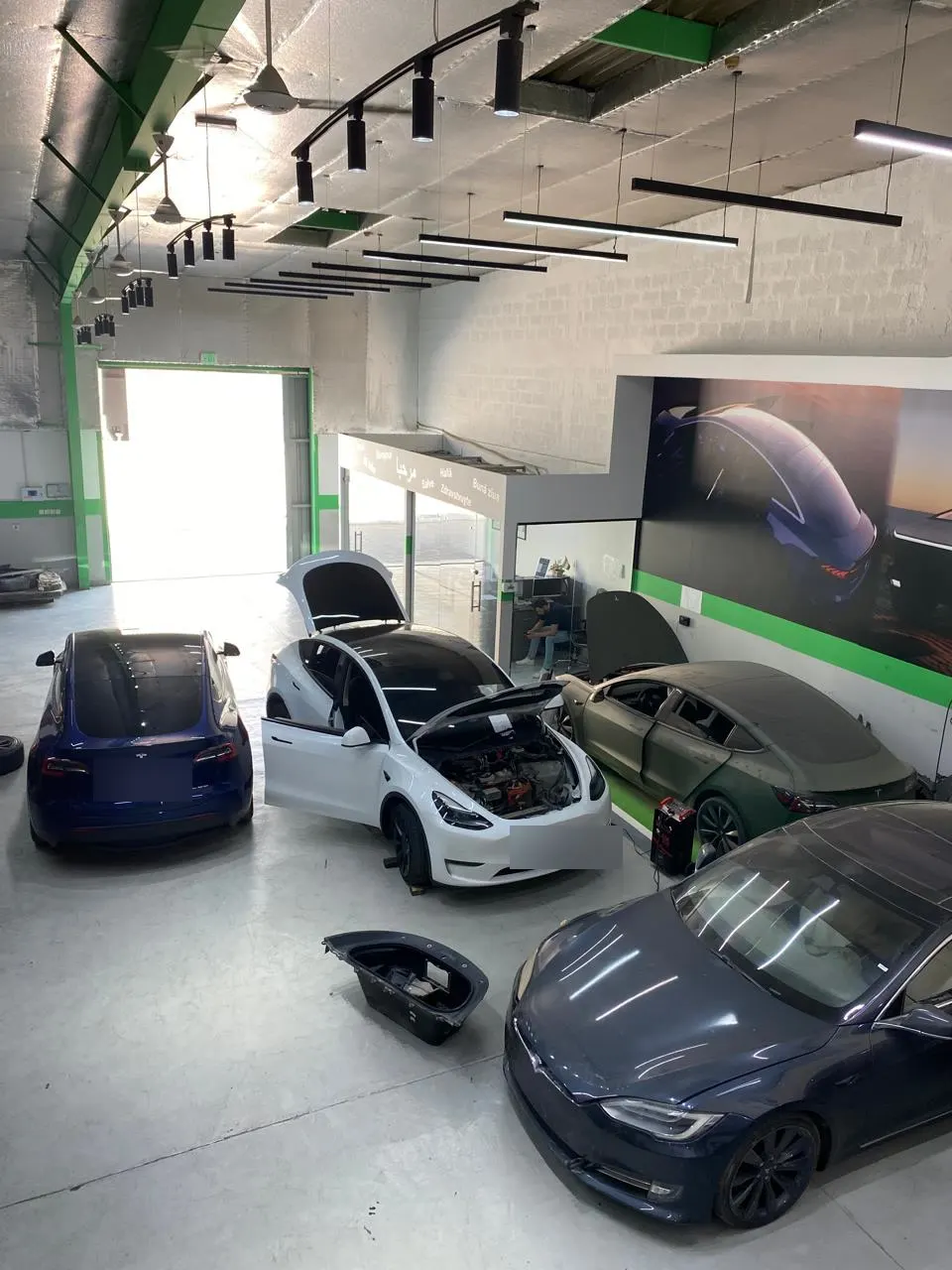
The electrical faults owners see most
A warning on the screen tells you that something is wrong, not what. The same message can come from a failed part, a weak battery or a poor connection, so the message alone is a starting point.
These are common signs of an electrical fault:
- A warning message that keeps coming back
- A fault that comes and goes, or only happens in hot weather
- Cameras, windows, locks or screens that stop working
- Several unrelated warnings at the same time
- The car behaves differently after a repair elsewhere
The sections below take them in turn. A common cause to rule out is the small low-voltage battery.
The 12V or 16V battery: a common cause to rule out
Electric cars still carry a small low-voltage battery. It runs the computers, locks and screens, and it switches on the high-voltage system. When it weakens, the car can fail to respond or drive even with a full main battery.
Signs to watch for:
- A 12V or low-voltage battery alert
- The car will not wake up or respond to the key or phone
- The screen goes black or restarts on its own
- The car will not go into drive although the main battery is charged
- Warnings that appear and clear by themselves
Tesla’s owner’s manual says the procedure for jump starting differs depending on whether the low voltage battery is lead-acid or lithium-ion. It also says you can find out which one your car has under Controls > Software > Additional Vehicle Information. The same manual warns that a Model 3 cannot be used to jump start another vehicle, because doing so can result in damage.
If you see a low-voltage alert, have it checked before it leaves you stranded. Our 12V and 16V battery page explains the replacement, reset and configuration.
Cameras, sensors and driver-assist warnings
Cameras and sensors are a common source of messages, and many are caused by something simple. Tesla’s owner’s manual lists dirt or debris on the camera surface, and condensation (water droplets or mist) on the camera surface, among the reasons a front camera can have limited visibility. For that alert it says the vehicle is OK to drive and that this is often a temporary issue that clears up on its own.
For the Assisted Steer alert, if the feature is still unavailable during your next planned drive, the same manual suggests checking for:
- An object mounted on the vehicle, like a bike rack
- Paint or adhesive products such as wraps, stickers or rubber coatings added to the vehicle
- A damaged or misaligned bumper
It adds that if there are no obvious obstructions, or if you find damage, you should schedule service at your convenience. For the Automatic Emergency Braking alert, it says no action is typically required, but if the alert persists across multiple drives, or occurs with increasing frequency, you should schedule service at your earliest convenience.
These are Tesla’s instructions for those specific alerts. On other makes, follow your own owner’s manual.
Windows, door locks and screens
A window that stops halfway, a door lock that stops working, or a screen that freezes can have a mechanical cause or an electrical one. A worn window mechanism or lock is one possibility. A weak low-voltage battery or a bad connection is another, and it can look identical from the driver’s seat.
This is why a repair that starts with a replacement part can miss the real problem. If a new part does not cure the fault, the cause was somewhere else, and the car may now behave differently than before.
EV Zone repairs window mechanisms and door locks, replaces cameras and glass, and carries out wiring and connector repairs, on electric and hybrid cars of all the makes it works on.
Charging faults that are not the car
Some electrical alerts point at the supply, not the vehicle. Tesla’s owner’s manual says a charge-rate or voltage-drop alert can come from problems with the building wiring or the wall outlet, or from an extension cord or other wiring that cannot support the requested charge current. It can also come from other devices drawing a lot of power on the same branch circuit while the car charges.
The manual’s advice, if this has occurred multiple times at your normal charging location, is to contact an electrician to inspect the electrical installation. If the charging point is fine and the alert follows the car to other chargers, that is the point to have the car tested.
One alert is different. Tesla’s manual describes a high voltage system isolation alert and says to schedule service immediately. High-voltage parts are not for owners to open or test. If you see an alert like this, do not open anything yourself and book a check.
How the cause is traced before a part is replaced
The aim is to repair the part that actually failed. For this we work through a set of checks:
- Wiring, connectors and earth points, for corrosion and damage
- Low-voltage battery health, a common cause of unrelated warnings
- Stored alerts and fault codes in the car’s control units
- Live readings while the fault happens, where it can be reproduced
- High-voltage insulation tests
This is also why several warnings at once often have one cause. A weak low-voltage battery or a poor connection can make several systems report faults together, so the basics are checked before any part is replaced.
Intermittent faults are harder, because the car may be fine when it arrives. Note when it happens: after the car sits, at start-up, in hot weather, or when you use a certain switch. That detail helps the test reproduce the fault.
What to do before you book
A few steps make the visit quicker and the diagnosis more accurate:
- Photograph the warning, or write down its exact wording and code.
- Note when it appears and whether it clears on its own.
- Clean the camera area and remove anything mounted or stuck over a sensor, as the manual suggests.
- If the message says to stop, or that the car may not restart, stop when it is safe to do so.
- Do not open high-voltage parts or cables.
A photo shows what the car is reporting and where to start checking. The actual cause is confirmed by testing the car. You can see what we cover on our services page, or reach us through the contact page.
For electrical faults on electric and hybrid cars, our car electrics repair and EV diagnostics service traces the cause before a part is replaced. Book a check at EV Zone in Industrial Area 11, Sharjah.
Questions
Is it safe to drive with a warning on the screen?
Follow what the message says. A red warning, or one that tells you to stop, pull over or that the car may not restart, means stop when it is safe to do so. For other messages, send a photo before driving far. For some Tesla alerts, the owner’s manual says the vehicle is OK to drive.
Why do several warnings appear at once?
A weak low-voltage battery or a poor connection can make several systems report faults at the same time. That is why the basics are checked before any part is replaced.
Can the 12V battery fail even if the main battery is full?
Yes. The low-voltage battery is separate from the main high-voltage battery. If it fails, the car may not wake up or connect the main battery, so it will not drive.
Does EV Zone repair the electrics of hybrid cars?
Yes. EV Zone works on hybrid cars as well as electric cars, and on several makes including Tesla, Volkswagen, BYD, Zeekr, Polestar, ROX and Avatr.